Personal reminder
Contact Lens Date Reminder
English iPhone name: Lensmark.
A private replacement-date calendar and reminder for contact-lens wearers.
Free to download. Pro is optional.
Lensmark is a personal calendar and reminder. It does not diagnose, prescribe, make treatment decisions, or assess contact-lens safety, efficacy, or emergencies. No regulatory classification is claimed here.
Optional Pro
An optional one-time Pro purchase adds spare-lens counts and a replacement summary for each eye. Recording dates, setting reminders and viewing the full history stay free. Replacement dates still come from your product instructions or eye-care professional.
A practical workflow
When to use Lensmark
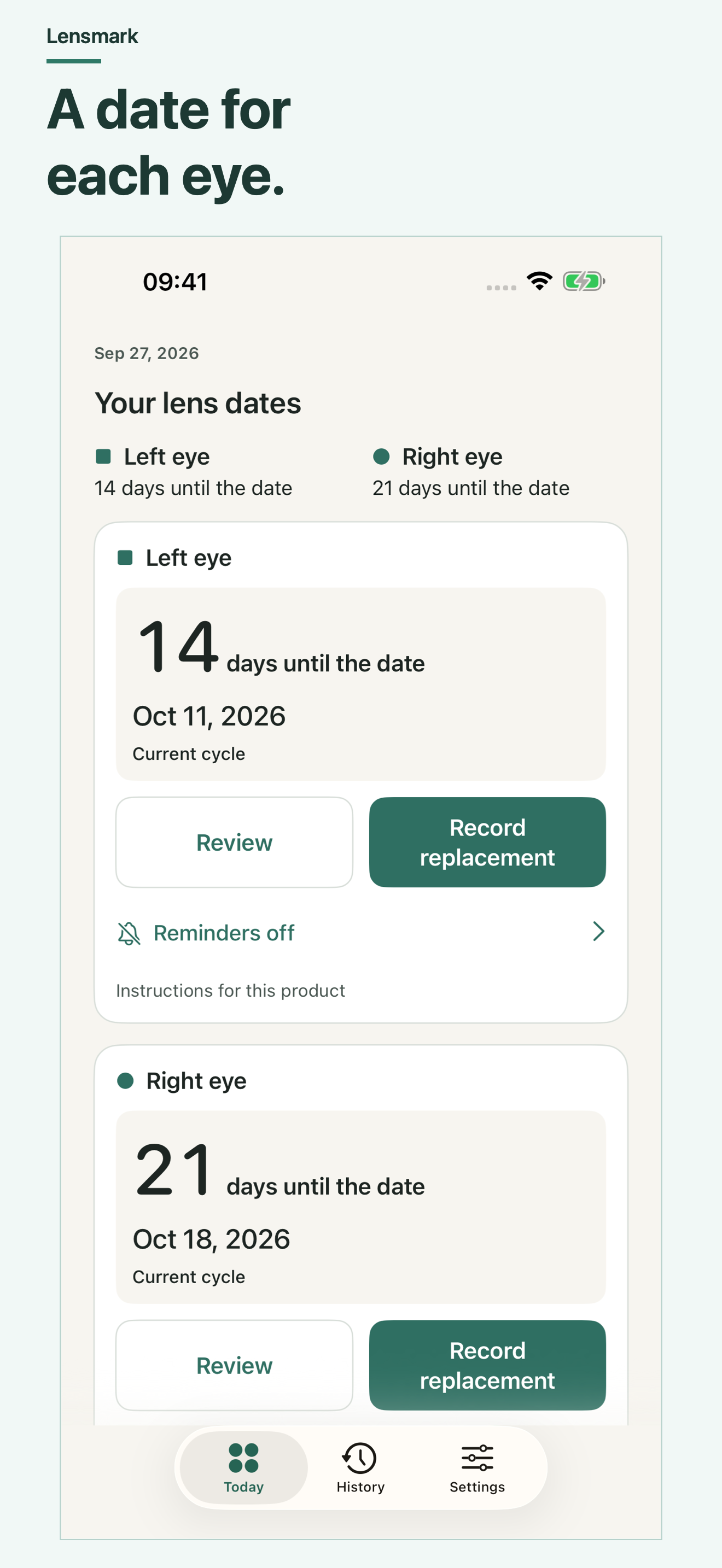
- Keep left and right lens dates separate.
- Copy dates established by your own instructions.
- Request local reminders and keep a separate date record.
Choose this app when its documented scope fits the task you want to keep on your iPhone. The free web resources below are independent alternatives for a single worksheet or calculation.
Before you choose
Will it choose a safe replacement interval?
No. Enter dates based on your lens instructions and eye-care professional. A date does not determine whether a lens is safe to wear.
Are reminders guaranteed?
No. iOS permission, Focus and other settings control presentation and delivery. Keep a separate record of important dates.
Can I reinstall it to fix reminders without losing data?
Lensmark currently has no backup, sync or export. Removing the local app container can remove its records. Preserve needed dates separately before any deletion.
Use it without an app
Free resources for this activity
- Contact-lens replacement-date tracker
A free printable date record for left and right contact lenses. Copy replacement dates from your own instructions; download the blank CSV without signing up.
- Make a contact-lens date card for each eye
Enter dates you already established for left and right contact lenses, then download a personal date card. No interval recommendation, alert or server upload.
- Check iPhone reminders for contact-lens dates
Check entered lens dates, iPhone notification permission and Focus settings. Keep a separate record; notification delivery is not guaranteed.